









Funky Pulse Racing





















Funky Pulse Racing
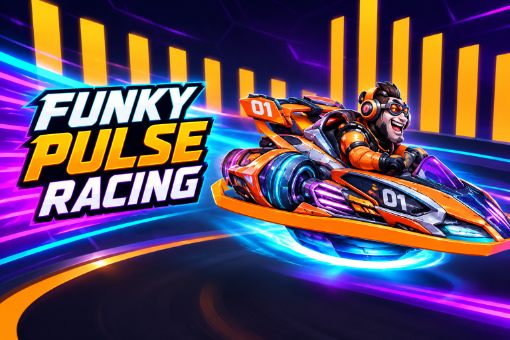
Funky Pulse Racing: Take on the role of Bongo Bassmann and time your bullet shooting and track driving to the background techno track. It's arcade racing speed and music-responsive shooting in your browser.
Can't rely on your driving to win. You must time your blaster pulls to the beat of the music and utilize loot to take down opponents in both single-player and multiplayer modes.
Combat Rhythms and Items in Funky Pulse Racing
The blaster mounted on your vehicle is your primary weapon. If you pull the trigger in time with the background music, the bullets will turn into power shots with significantly greater damage. Hitting targets and maintaining the correct rhythm will fill your energy bar. When this bar reaches its peak, you activate the Pulse Blast to knock back or immobilize surrounding vehicles.
Along the race track, there are five types of power-ups to help you turn the tide:
- Turbo: Boosts your car's speed to maximum on straight sections.
- Shield: Provides a shield to block enemy fire.
- Rockets: Launch missiles to chase down leading racers.
- Bass drops and glitter bombs: Scatter traps on the track to slow down pursuers.
Game Modes, Tracks, and Screen Settings
Funky Pulse Racing has six distinct game modes. You can play solo against three AI opponents, grind points in Note Hunt, or use the tutorial to get used to the firing rhythm. If you prefer competition, the game has a split-screen mode for two players on the same machine and online racing rooms for two to four players.
The biggest challenge lies in the Grand Prix called Pulse Cup, where you must race consecutively through four stages: Pulse Reactor, Bass District, Gravity Spiral, and Disco Storm. The system awards 10, 7, 5, and 3 points respectively for rankings after each stage; the player with the most points will take the top spot. You can also adjust the difficulty between three levels: Easy, Normal, and Hard before starting. If the constantly flashing lights strain your eyes, open the Settings to reduce lighting effects, minimize shaking, or smooth out corners, although the camera's stable horizon mode is already enabled.
Controls on PC and Phone
The game runs directly in your computer or phone browser without installation, and a full-screen zoom button is available for easy viewing of the race track.
PC and Laptop Controls
The original data doesn't specify every key, but you can use the familiar navigation keys and action keys on your keyboard to steer, fire blasters, and activate items.
Mobile Controls
On phones and tablets, the screen will automatically switch to a dedicated touch control layout for landscape mode.
Are you ready to pull the trigger in time with the music and win the championship? Open Funky Pulse Racing in your browser now to experience it for free.