








Bus Parking Simulator 3D





















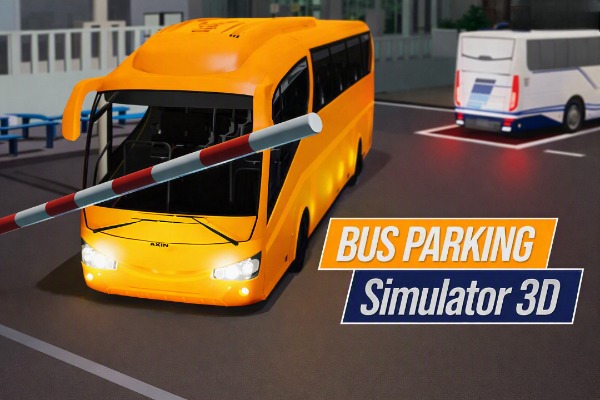
Bus Parking Simulator 3D
With its colorful cartoon graphics and a bus spinning in the garage, you might immediately mistake this for a game aimed at young children. You’d be wrong.
The moment you step into the driver's seat and hit the gas, the bus pulls sharply to the left. That’s when Bus Parking Simulator 3D reveals that it demands serious attention. Your mission: maneuver a bulky bus through city streets and squeeze into tight, obstacle-filled parking spots—all before the timer runs out.
Quick Game Facts
Released in July 2023 by Xenolia, the game places players in a low-poly city environment dotted with shops, gas stations, and police cars.
- Unlockable buses: 5 (purchasable with in-game currency)
- Difficulty levels: Easy, Medium, and Hard
- Controls: WASD or arrow keys; Space for handbrake; V to switch camera; Tab to pause
- No mobile support; no multiplayer mode
Bus Mechanics in Bus Parking Simulator 3D
The five buses in the game differ in more than just appearance; they handle completely differently, adding real depth to the gameplay.
The Starter Bus
This battered vehicle pulls to the left when accelerating due to a faulty suspension—a deliberate design choice. You have to constantly make steering corrections, even on straightaways.
Unlockable Buses
Each new vehicle completely changes your approach to the levels:
- Significantly higher speeds than the starter bus.
- Rear-end sliding during fast turns, complete with realistic tire smoke.
- Varying vehicle lengths, directly affecting how you navigate corners.
- Longer buses aren't always an advantage in tight parking areas.
Choosing the wrong bus for a level with cramped parking makes the challenge much harder before you even begin.
Camera Angles: The Key to Success
Most browser games use the 'C' key to switch camera angles, but this one uses 'V'. It is easy to press by mistake, but once you get used to it, it becomes indispensable.
The cockpit view displays digital side mirrors. When you need to maneuver into a tight gap, these mirrors are the only thing standing between you and a "restart."
Tips to Avoid Constant Restarts
Start on Easy mode. It’s not because the game is simple; the timer on Easy is still strict enough to teach you proper vehicle handling before you move up to Medium.
- The starter vehicle tends to pull to the left when accelerating. Don't hold the gas pedal down continuously; feather the throttle and make constant steering adjustments rather than trying to drive in a straight line without correcting.
- Press 'V' to switch to the cockpit view when entering tight parking spots. The digital side mirrors appear on both sides, allowing you to judge distances far more accurately than the external view allows.
- Avoid taking corners too fast once you've unlocked new vehicles. The rear end might slide out with tire smoke—which looks cool—but in a cramped parking lot, that slide often leads to failure.
- Pay attention to the vehicle's length before making your selection. Longer vehicles are harder to maneuver in tight spaces; picking the wrong vehicle makes the job harder before you even begin.
- Even brushing against a traffic cone counts as a collision. Don't try to drive too close to them.
Try Bus Parking Simulator 3D Now
Its lighthearted, cartoonish appearance belies the challenge within. Beneath the colorful graphics, Bus Parking Simulator 3D is a true test of patience. If you think you're a skilled driver, this is the place to prove it.